
Both SBB and the City of Zurich operate publicly accessible BIM object databases: the Component Library (BTB) with its associated BIM Data Catalog (FDK) at SBB, and "Der Baukasten" at the City of Zurich. Neither platform officially documents its interfaces. The API endpoints described here were reconstructed by analyzing the respective web applications.
This post shows what lies beneath the surface, how we integrated the SBB interfaces into a Blender add-on, and what potential exists in programmatic use of these catalogs.
The Two Pillars: BTB and FDK
Component Library (BTB)
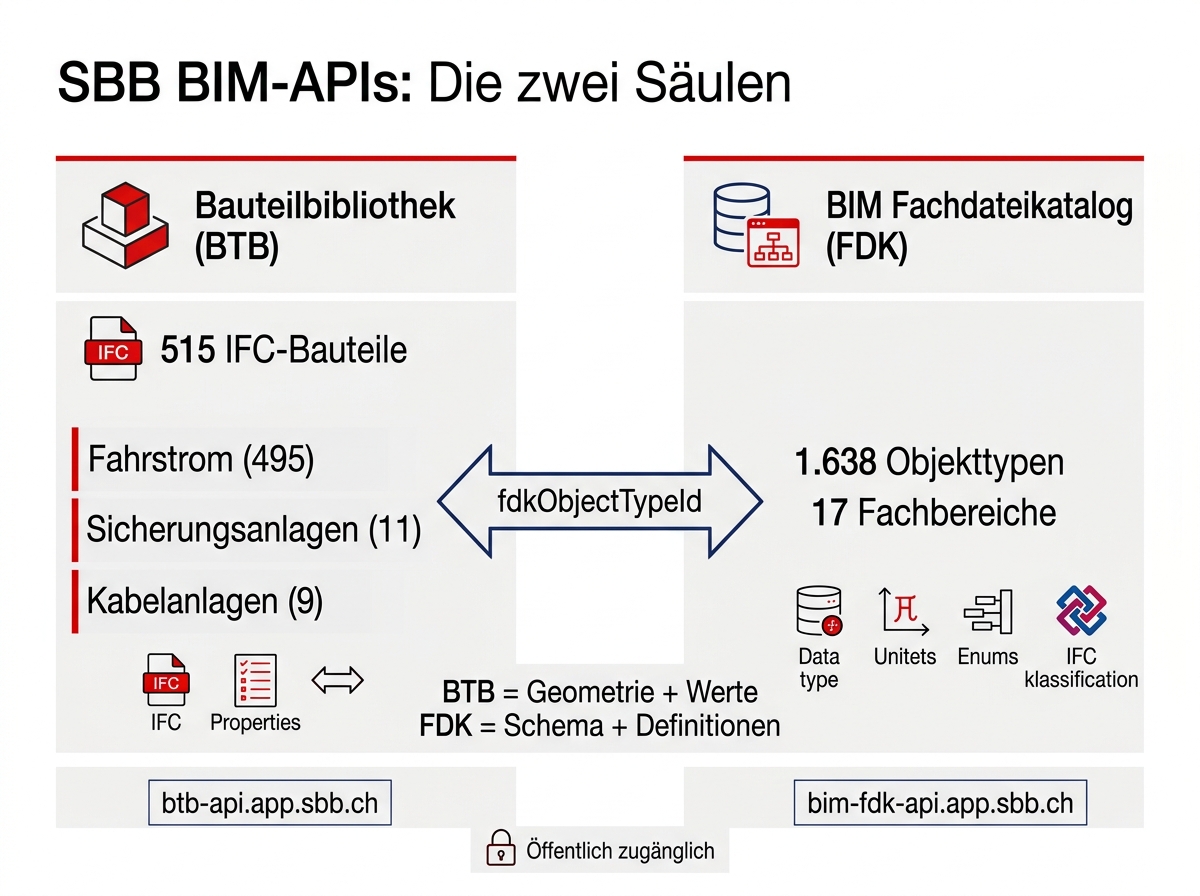
The BTB at btb.app.sbb.ch currently contains 515 IFC components across three disciplines. Each component includes an IFC file according to IFC4x3, structured properties (property values), and a link to the FDK. The following endpoints were derived from the web application's network traffic. No official API documentation exists to our knowledge.
The web application communicates with a backend at https://btb-api.app.sbb.ch. The following endpoints are accessible without authentication:
BIM Data Catalog (FDK)
The FDK at fdk.app.sbb.ch is the schema behind the components. Here too, we reconstructed the endpoints from the web app. The FDK defines which properties an object type has, in which data format, with which units and which permitted enum values.
The FDK provides among other things:
- IFC assignment (class, type, PredefinedType according to IFC4x3_ADD2)
- Property sets with data types, units, and enum values
- eBKP positions and SIA phase assignments
- Component relationships between object types
Linking BTB and FDK
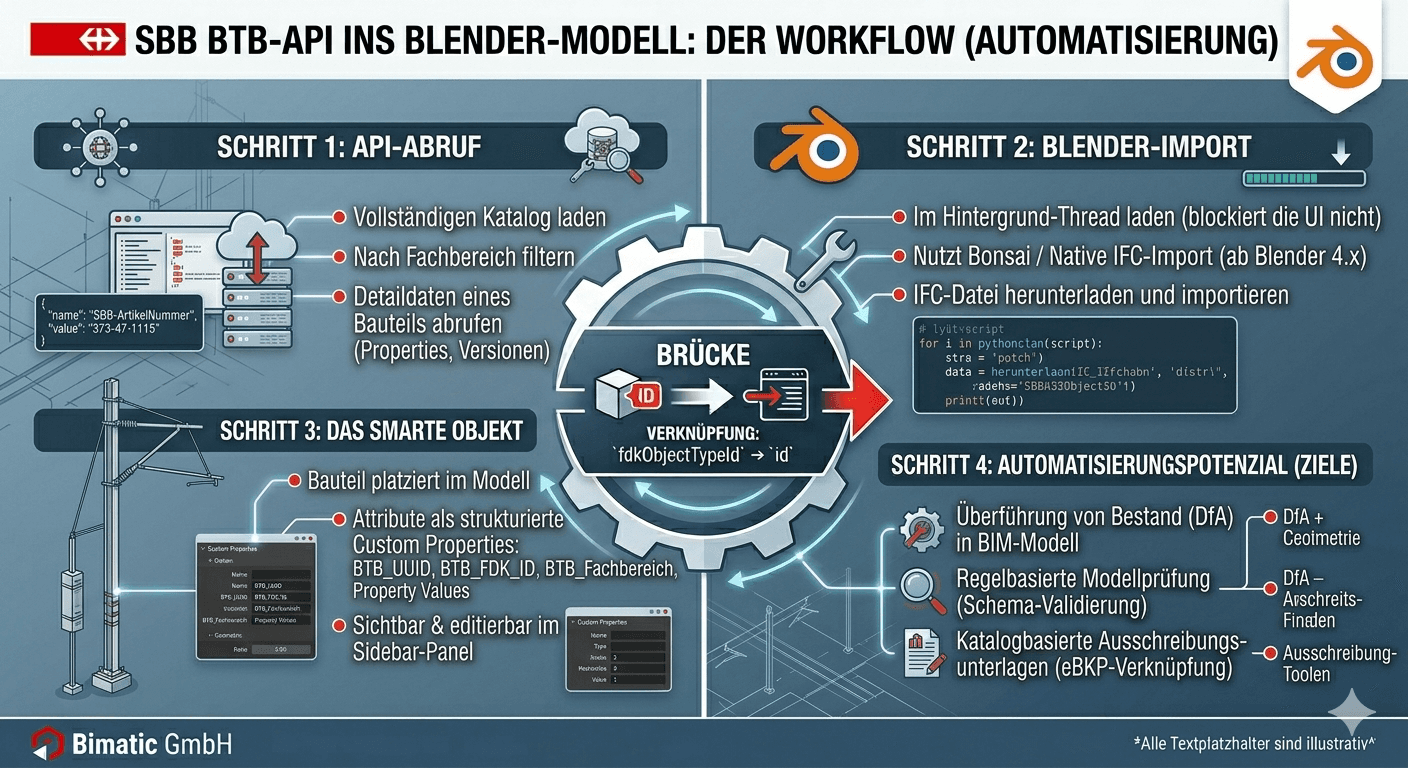
The connection between both systems runs through the fdkObjectTypeId field in the BTB detail record. This field points directly to the id in the FDK.
The Blender Add-on
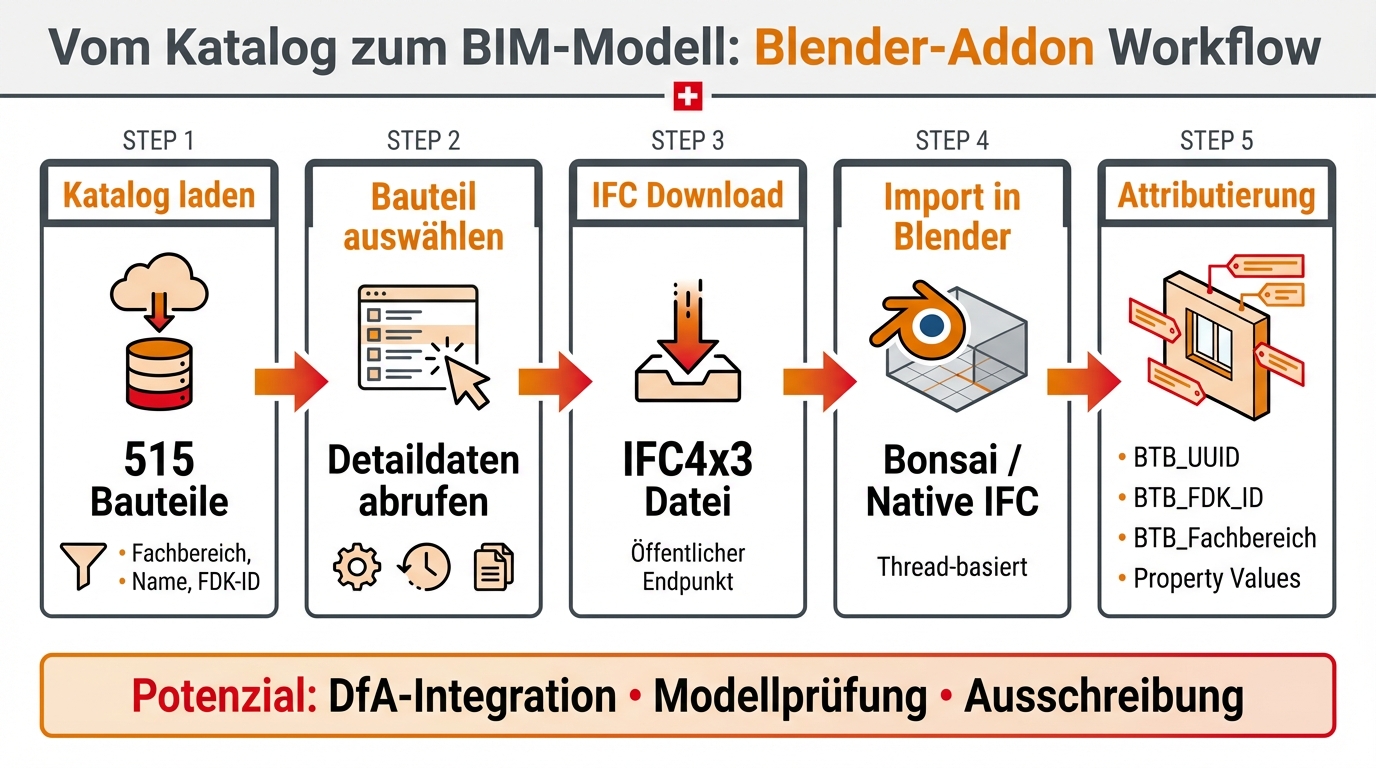
We developed a Blender add-on that integrates the BTB catalog directly into the Blender workflow. The add-on is implemented as a Python script and uses the endpoints described above, derived from the web application.
After import, each object in the model carries attributes such as BTB_UUID, BTB_FDK_ID, BTB_Fachbereich, and all property values from the catalog. These attributes are visible and editable in the sidebar panel.
The import runs in its own thread so that the Blender UI is not blocked during the download. Results are safely passed back to the main thread via bpy.app.timers.
"Der Baukasten": City of Zurich
Publicly accessible BIM object databases are not unique to SBB. The City of Zurich operates a comparable platform with "Der Baukasten" (baukasten.stadt-zuerich.ch), with a different focus but the same underlying idea.
Structure and Data
The Baukasten is technically a Blazor WebAssembly application with an Azure Functions backend. Here too, we identified the interfaces by analyzing the web app. The database currently contains 279 objects from various city departments.
Each object is enriched with metadata: SIA construction phases, specialist model categories (193 possible values), material specifications, layer structures, and GIS links. Available file formats per object:
Reconstructed Interface
The Blazor app communicates with an Azure Functions backend at https://prod-bim3dobjm.azurewebsites.net/api/. The endpoints follow the pattern:
GET /api/{endpoint}/{tenantId}[/{objectId}/{filename}]?code={apiKey}
The API keys (ApiKeyModelListe, ApiKeyModelFile, ApiKeyMetaValues) and the tenantId are visible in the Blazor application's appsettings.json in the browser, as they are delivered as part of the client configuration. Write endpoints (upload, delete, IFC import) are present in the configuration but are disabled with null keys and are therefore not usable.
| Endpoint | Function | Auth |
|---|---|---|
| modelliste | Retrieve all objects, filterable by department | API-Key |
| model | Download file (GLB, IFC, FBX, RVT, DWG, ...) | API-Key |
| metavalues | Enum values for all filters (15 categories) | API-Key |
Comparison: SBB BTB vs. Baukasten City of Zurich
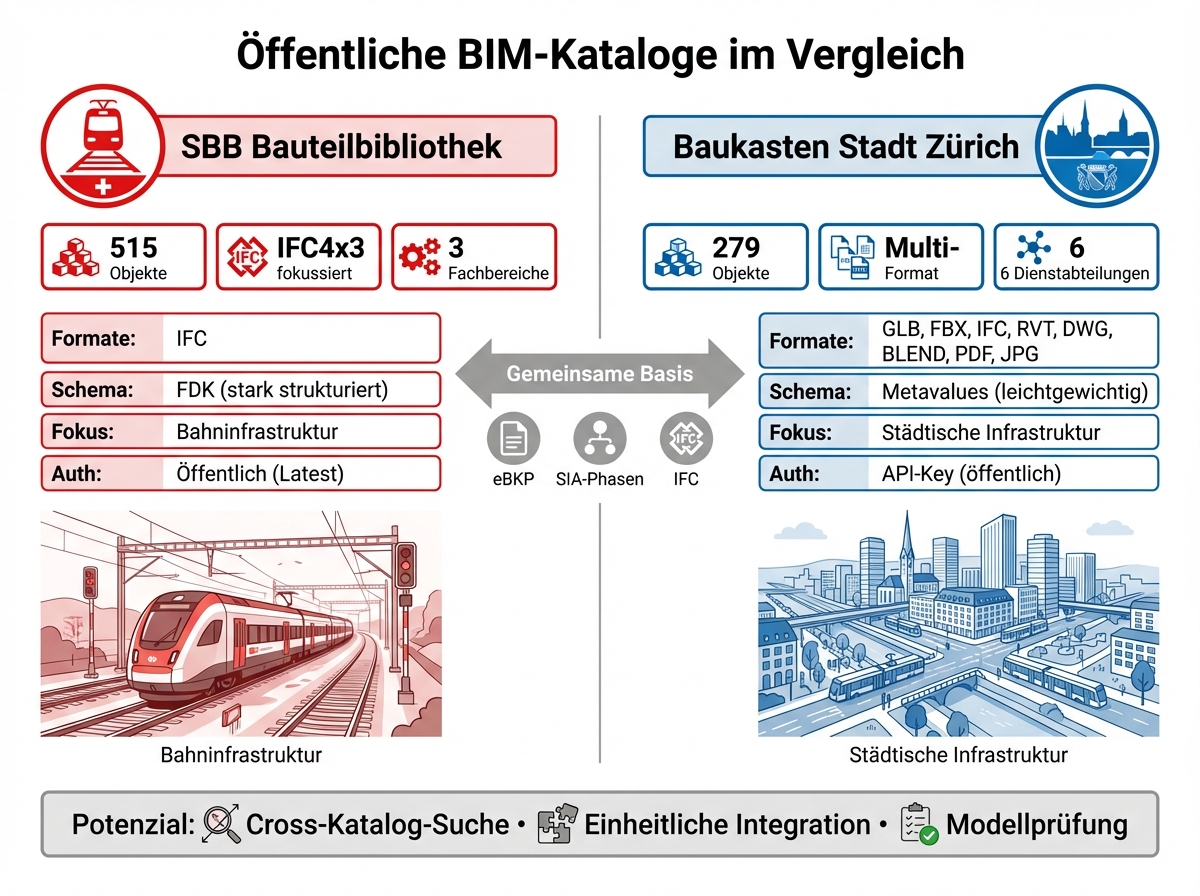
| Attribute | SBB BTB | Baukasten Zurich |
|---|---|---|
| Objects | 515 IFC-focused | 279 Multi-format |
| Auth | Public Token only for versions | API-Key Publicly visible in app config |
| Formats | IFC4x3 | GLB, FBX, IFC, RVT, DWG, BLEND, PDF, JPG |
| Schema | FDK Highly structured | Metavalues Lightweight |
| Domain | Railway infrastructure | Municipal infrastructure |
| eBKP | Yes (via FDK) | Partial (often empty) |
Automation Potential
The Baukasten can also be integrated programmatically:
Where the Real Potential Lies
The add-on itself is a tool. The real potential lies in what becomes possible with programmatic access to these catalogs.
A Question for SBB
The current catalog covers 515 components, 495 of which are in the Traction Power discipline. Disciplines such as Structures, Track, Tunnels, or Utilities are defined with several hundred object types in the FDK, but have not yet been populated with IFC geometry in the BTB.
Conclusion
Both platforms, the SBB Component Library with Data Catalog and the City of Zurich's Baukasten, demonstrate that public BIM object databases are a reality in Switzerland. The data is structured, the web applications are publicly accessible, and the underlying interfaces can be reconstructed with reasonable effort.
Important: None of the interfaces described are officially documented. The endpoints can change at any time. Anyone building on them should keep this in mind and ideally seek dialogue with the operators.
The Blender add-on described is a first step. The next would be integration into automated modeling processes: from DfA migration to rule-based model validation, and eventually across catalog and organizational boundaries.
Bimatic GmbH, From the ground up to automation. bimatic.ch