
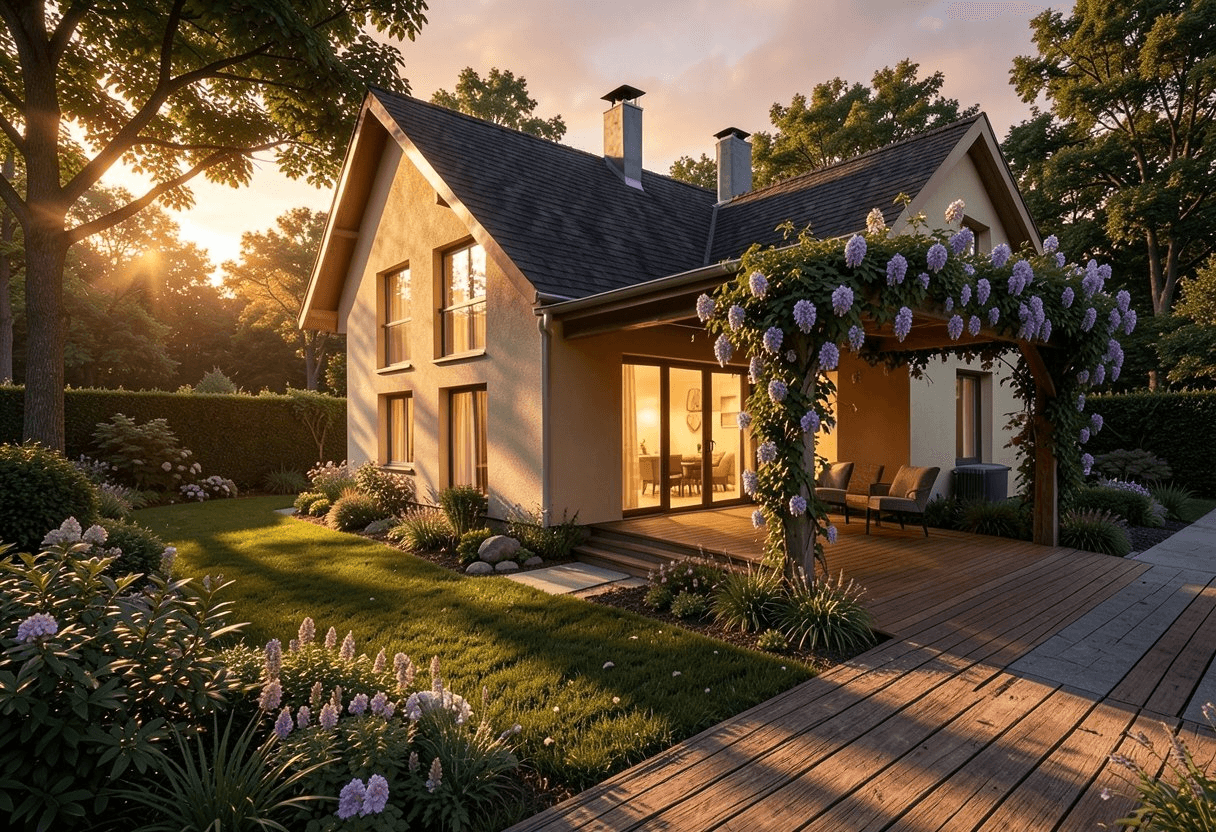
Spending hours fine-tuning a Twinmotion visualization is a daily reality in project work. Placing assets, adjusting lighting, rendering, correcting, rendering again. By combining Twinmotion with Krea AI, this effort can be significantly reduced.
The Problem: Visualization Takes Time
Building Information Modeling (BIM) delivers precise, data-rich 3D models. For technical professionals, the geometry is self-explanatory. For clients, investors, and stakeholders, more is needed: an evocative image that makes the project tangible.
The traditional visualization workflow in Twinmotion involves numerous manual steps: building the environment, placing vegetation, calibrating light sources, defining camera positions, rendering, and refining. For a single project, this is manageable. With multiple variants or tight deadlines, it becomes a bottleneck.
The Approach: AI as a Visualization Layer
Krea AI enables a different approach. The Twinmotion viewport serves as a control image, transmitted directly to Krea AI via screen capture. The AI interprets the geometry and adds in real time:
- Environment and terrain matching the building type
- Vegetation, trees, and plantings
- Lighting mood based on time of day
- Atmosphere, sky, and materials
No manual asset placement. No separate rendering process. The result is immediately visible and reacts live to changes in the model or prompt.
Case Study: Residential Building with Pergola and Golden Hour
For a residential project in Andelfingen, the BIM model was used directly from Twinmotion as a basis. With a targeted prompt, the environment was completed: a garden with pergola, green climbing plants, a wooden deck, and a golden hour atmosphere with warm evening light.
The result is not a replacement for a full-scale visualization with manually curated assets. But it is a precise, atmospheric image suitable for presentations, building permits, or stakeholder communication. And it emerges directly from the BIM process.
What This Workflow Can Do and What It Can't
✓ Suitable for
- ✓ Quickly discussing design variants internally, before the actual visualization
- ✓ Communicating project mood and atmosphere early on (clients, competitions)
- ✓ Social media and LinkedIn content, authentic and not over-polished
✗ Less suitable for
- ✗ Pixel-perfect control over assets (e.g. luxury property marketing)
- ✗ Reproducible results, as AI output varies with each run
A Note on JSON Prompting
Those coming from image generation tools like Midjourney or DALL-E may be familiar with JSON prompting: structured prompts in JSON format that precisely control parameters such as style, lighting, camera angle, or materials. However, this approach does not work particularly well with Krea AI. Krea's real-time engine interprets prompts more as natural language descriptions and responds less reliably to structured JSON inputs. For best results, use short, precise text prompts and steer the output through the input image from Twinmotion.